AI Wearables for Racquetball: Tracking Shot Speed, Spin, and Fatigue in Real-Time Training Sessions
Last updated: June 26, 2026
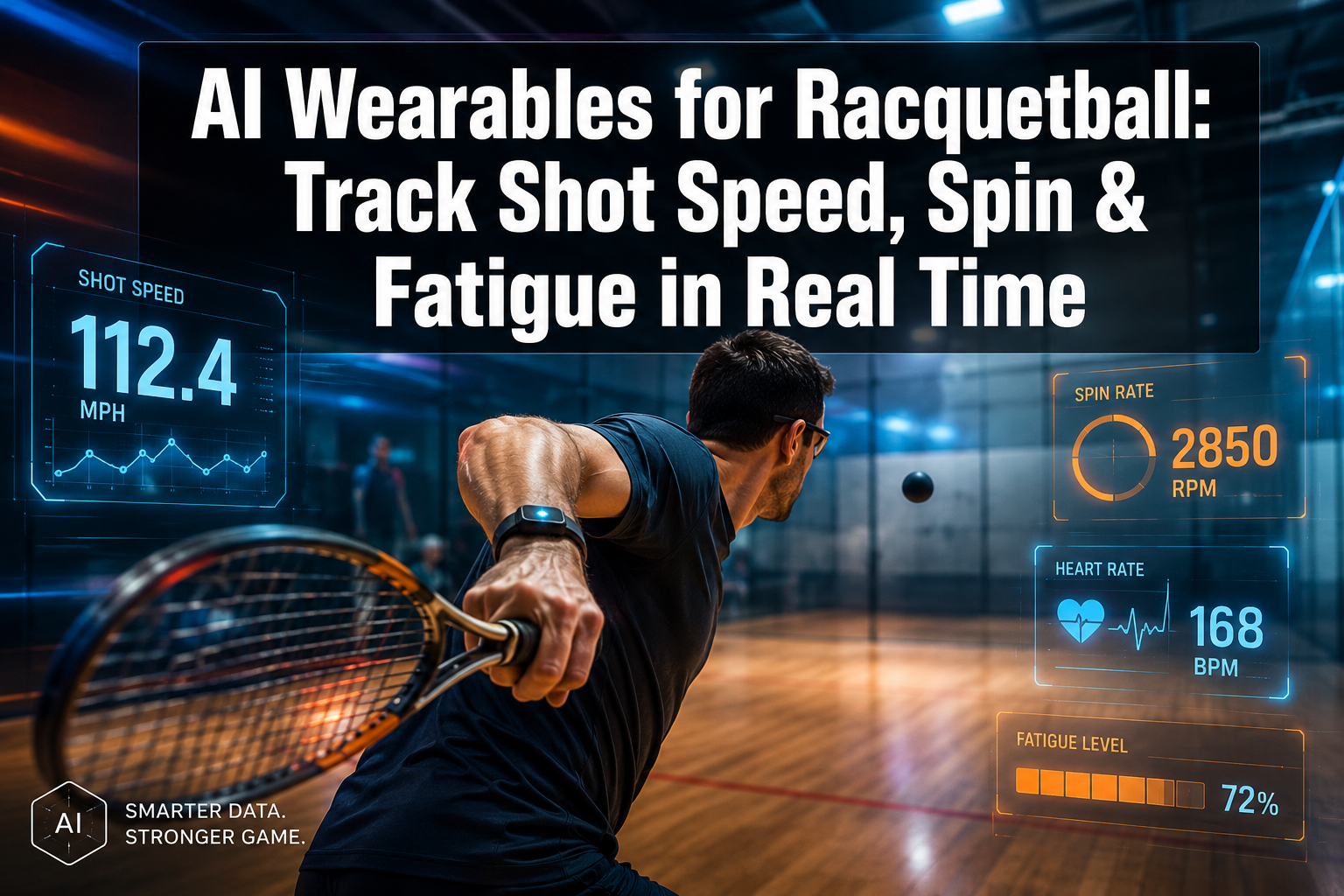
Quick Answer: AI wearables for racquetball are small sensor devices worn on the wrist, chest, or attached to the racquet that capture biomechanical and physiological data during play. They measure shot speed, spin rate, swing mechanics, and fatigue markers in real time, then send that data to an app for instant feedback. As of 2026, these tools are accessible to club players and competitive athletes alike, with entry-level options starting under $150.
Key Takeaways
- AI wearables for racquetball use IMU (inertial measurement unit) sensors and AI algorithms to detect shot speed, spin, swing path, and physical fatigue during live training sessions.
- Research published on arXiv shows that combining audio and IMU data from wrist-worn wearables can detect racquet sport shots with 95.6% accuracy [10].
- Platforms like SwingFlux capture over 50 biomechanical parameters per session without any cameras [2].
- Fatigue tracking works by monitoring heart rate variability, movement efficiency, and power output decline across a session.
- AI wearables are useful for beginners and advanced players, but the value scales with how consistently players review and act on the data.
- Costs range from roughly $100–$600 depending on sensor count and platform features.
- Most devices work with any standard racquetball racquet and require no special modifications.
- The biggest mistake players make is collecting data without a structured review process.
- Pairing wearable data with a coach’s eye produces better results than either approach alone.

What Are AI Wearables for Racquetball and How Do They Work?
AI wearables for racquetball are compact sensor systems that attach to the body or racquet to capture movement and biometric data during real-time training sessions. They combine hardware (accelerometers, gyroscopes, and heart rate sensors) with machine learning software that interprets raw motion data into actionable metrics like shot speed, spin rate, and fatigue level.
Here’s the basic flow:
- Sensors capture raw data — accelerometers measure linear movement; gyroscopes measure rotation; heart rate sensors track cardiovascular load.
- On-device processing filters noise and identifies discrete events (each swing, each impact).
- AI algorithms classify shots — drive, kill shot, ceiling ball — and calculate metrics for each.
- Data syncs to an app in near real time, where players and coaches can review trends.
WurQ, for example, uses wrist and chest sensors that track range of motion, physical work output, and power output automatically, acting as an on-court exercise science analyst [1]. SwingFlux’s four-sensor system captures over 50 biomechanical parameters without any cameras, giving coaches precise data on player mechanics [2].
What Data Can You Actually Get from Racquetball Wearables?
The data output goes well beyond a simple speed number. A well-configured AI wearable system for racquetball typically delivers:
| Metric | What It Tells You |
|---|---|
| Shot speed (mph/kph) | Raw power output per swing |
| Spin rate (rpm) | Slice, topspin, or flat contact quality |
| Swing path angle | Whether the racquet face is open, closed, or square at impact |
| Impact consistency | How repeatable your contact point is across shots |
| Heart rate & HRV | Cardiovascular load and recovery status |
| Power output decline | Fatigue proxy — how much force drops over a session |
| Rally length & shot count | Volume tracking for workload management |
Platforms like Volley pair physical training with an app that tracks every shot and builds personalized training plans based on objective skill assessments [6]. For players focused on improving racquet sports skills, this kind of granular data replaces guesswork with measurable benchmarks.
How Accurate Are Wearable Sensors for Measuring Racquetball Spin Rate?
Spin measurement accuracy is the most technically demanding metric for wrist-worn wearables, and it’s still improving. Research combining audio and IMU data from wrist wearables demonstrated 95.6% accuracy in detecting shots in racquet sports [10]. Spin rate estimation, however, is slightly less precise than shot detection alone because it depends on gyroscope sensitivity and the sensor’s proximity to the racquet head.
Practical accuracy expectations in 2026:
- Shot detection: ~95–97% accurate (well-established)
- Shot speed: ±2–4 mph margin of error (reliable for trend tracking)
- Spin rate: ±5–10% margin of error (directionally useful, not lab-grade)
- Swing path: High accuracy when sensors are properly calibrated before a session
The key takeaway: these devices are accurate enough to identify patterns and track improvement over time. They are not yet a replacement for high-speed camera analysis in elite biomechanics labs, but for court-side training feedback, they’re genuinely useful.
Can AI Wearables Track Fatigue During Racquetball Training?
Yes, and this is one of the most underrated features of AI wearables for racquetball training. Fatigue tracking works through two parallel signals: physiological (heart rate, heart rate variability) and biomechanical (declining power output, slower swing speed, reduced range of motion).
IRIX uses biometric wearable data to deliver personalized recovery guidance, adapting recommendations before, during, and after workouts based on real-time fatigue signals [3]. Anthereon’s motion intelligence system flags technique degradation in real time, which is often the first visible sign of fatigue before a player consciously feels tired [4].
Why fatigue tracking matters for racquetball specifically:
- Racquetball is an anaerobic-dominant sport with short explosive bursts, making fatigue accumulation less obvious than in endurance sports.
- Technique breakdown under fatigue is a leading cause of overuse injuries (shoulder, elbow, wrist).
- Knowing your fatigue threshold helps structure drill blocks more effectively. For guidance on this, see structuring your practice sessions for maximum skill development.
AI Wearables for Racquetball vs. Traditional Coaching Analysis
Traditional coaching relies on a coach’s eye, video review, and subjective feel. AI wearables add an objective, continuous data layer that coaches can’t replicate manually. The two approaches work best together.
| Factor | Traditional Coaching | AI Wearables |
|---|---|---|
| Shot-by-shot data | Selective, memory-dependent | Every shot, every session |
| Fatigue detection | Observational | Physiological + biomechanical |
| Feedback timing | Post-session or between points | Real time |
| Cost over time | Ongoing coaching fees | One-time hardware + subscription |
| Tactical context | Strong | Limited |
| Emotional/motivational support | High | None |
“Data tells you what is happening. A coach tells you why and what to do about it.”
Platforms like SwingFlux are designed specifically to give coaches precise data so they can make better decisions during sessions [2]. For players working on smart shot selection on the court, combining coach insight with wearable data creates a feedback loop that neither approach achieves alone.
How Much Do Racquetball AI Wearables Cost?
Prices in 2026 fall into three tiers:
- Entry-level ($100–$200): Single wrist sensor, basic shot speed and swing count, companion app with limited analytics. Good for recreational players tracking general trends.
- Mid-range ($200–$400): Multi-sensor systems (wrist + chest or racquet clip), more detailed biomechanical data, fatigue tracking, session history. Best for club competitors and serious amateurs.
- Advanced ($400–$600+): Full-body sensor arrays like SwingFlux’s four-sensor system [2], 50+ parameters, coach-facing dashboards, API integrations. Suited for coaches working with multiple players or elite athletes.
Most platforms also charge a monthly subscription ($10–$30/month) for cloud storage, AI analysis, and personalized training plan features. Factor this into the total cost of ownership.
Do I Need Special Equipment to Use Racquetball Tracking Wearables?
No special racquet or court setup is required for most AI wearables designed for racquet sports. The majority of devices use:
- A wrist strap (similar to a fitness tracker) or a small clip that attaches to the racquet handle
- Bluetooth or Wi-Fi sync to a smartphone
- A companion app (iOS and Android)
Most systems are calibrated for standard racquetball racquet dimensions and string tensions. Devices like those from WurQ are designed to work across different movement contexts without sport-specific hardware modifications [1]. For players curious about how gear choices affect performance, this racket sports gear reviews resource covers equipment considerations in more detail.
One exception: Multi-sensor systems like SwingFlux require proper sensor placement and a short calibration session before each use to ensure accurate biomechanical readings [2].
Can Beginners Benefit from AI Wearables, or Just Advanced Players?
Beginners benefit from AI wearables, but in a different way than advanced players. For beginners, the most valuable output is simple: shot consistency scores and basic swing feedback that confirm whether technique is improving week over week. Advanced players extract more value from granular metrics like spin rate variation, fatigue-adjusted power output, and shot pattern analysis under pressure.
Choose AI wearables if you’re a beginner when:
- You’re training without a regular coach and need objective feedback.
- You want to track whether your practice is actually producing improvement.
- You’re prone to overtraining and want fatigue monitoring.
Choose AI wearables if you’re advanced when:
- You’re preparing for competition and need data-driven drill prioritization.
- You want to identify subtle technique flaws that aren’t visible to the naked eye.
- You’re working with a coach who can interpret biomechanical data.
Anthereon’s technique-first approach specifically focuses on safer progression for athletes at all levels, not just elites [4].
How to Improve Shot Speed Using Wearable Feedback Data
Wearable feedback data improves shot speed most effectively when used as a training loop, not just a measurement tool. Here’s a practical process:
- Establish a baseline — Record average shot speed across 3–5 sessions before changing anything.
- Identify your slowest shot type — Most players have one significantly weaker shot (often the backhand drive or ceiling ball).
- Isolate and drill — Spend 15–20 minutes per session on that specific shot, reviewing speed data after each block.
- Check swing path alongside speed — Speed gains from a poor swing path often come with accuracy losses. Balance both metrics.
- Track fatigue-adjusted speed — Compare your shot speed in the first 10 minutes vs. the last 10 minutes. A large drop signals conditioning needs work.
- Review weekly trends, not daily — Day-to-day variation is normal. Look for a 4-week moving average improvement.
For more on building effective practice structures around this kind of data, see how to structure practice sessions for skill development.
Common Mistakes People Make with Racquetball Tracking Wearables
The technology is only as useful as the habits around it. These are the most common pitfalls:
- Collecting data without reviewing it — Wearing the device but never opening the app is the most common waste of investment.
- Chasing speed at the expense of accuracy — Shot speed is the most visible metric, so players over-optimize for it and sacrifice placement.
- Skipping calibration — Multi-sensor systems need a fresh calibration each session. Skipping this degrades spin and swing path accuracy significantly.
- Ignoring fatigue signals — Players who dismiss the fatigue index as “just a number” often continue drilling past the point of productive learning.
- Comparing raw numbers to other players — Wearable data is most useful as a personal baseline, not a competitive benchmark against others.
- Not sharing data with a coach — The data is most powerful when a qualified coach interprets the patterns. See video analysis and learning from the pros for how to pair data with expert review.
What Should I Look for When Buying an AI Wearable for Racquetball?
Focus on these criteria when evaluating options:
- Sensor type and placement: Wrist-only is convenient but less accurate for spin. Multi-sensor systems are more precise.
- Real-time feedback: Does the app give in-session alerts, or only post-session summaries? Real-time feedback is more actionable during drills.
- Fatigue monitoring: Look for heart rate variability and power output tracking, not just step counts.
- App usability: A complex dashboard that takes 20 minutes to interpret defeats the purpose. Prioritize clean, fast readouts.
- Coach integration: If you work with a coach, check whether the platform has a coach-facing portal or data export features.
- Battery life: A minimum of 3–4 hours of continuous tracking covers most training sessions.
- Compatibility: Confirm iOS and Android support, and check whether the app works offline for courts without Wi-Fi.
Platforms in the racquet sports space like Volley [6] and SwingFlux [2] are worth evaluating specifically for their coach integration and biomechanical depth.
FAQ
Q: Do AI wearables work for racquetball specifically, or are they designed for tennis? Most AI wearables are built for racquet sports broadly (tennis, padel, squash) and work well for racquetball. Racquetball-specific calibration profiles are becoming more common in 2026, but even general racquet sport modes produce useful data.
Q: How long does the battery last on a typical racquetball wearable? Most mid-range devices offer 4–8 hours of active tracking per charge, which covers multiple training sessions before needing a recharge.
Q: Can I use a racquetball wearable during match play, or only in practice? Yes, most wearables are compact enough to wear during match play. However, some competitive tournaments may restrict electronic devices, so check the rules for your specific event.
Q: How long does it take to see measurable improvement from using wearable feedback? Most players notice meaningful data trends within 4–6 weeks of consistent use and structured review. Actual performance improvement depends on how well training is adjusted based on the data.
Q: Is spin rate data actually useful for recreational players? Spin rate becomes most useful once a player has consistent enough contact to produce intentional spin. For early-stage beginners, shot speed and consistency scores are more immediately actionable.
Q: Do I need a smartphone on the court to use these devices? Most devices store data locally and sync after the session, so a phone on the court isn’t required. Some offer real-time Bluetooth audio cues through earbuds if you want in-session feedback.
Q: Can wearables predict injury risk? Some platforms, including Anthereon [4] and IRIX [3], use movement quality and fatigue data to flag elevated injury risk patterns. This is a developing feature rather than a guaranteed diagnostic tool.
Q: What’s the difference between an IMU sensor and a heart rate sensor in these devices? An IMU (inertial measurement unit) measures movement, rotation, and acceleration — it’s what tracks your swing mechanics. A heart rate sensor measures cardiovascular load. The best wearables combine both for a complete picture of performance and fatigue.
Conclusion
AI wearables for racquetball have moved well past the novelty stage. In 2026, they deliver genuinely useful data on shot speed, spin, swing mechanics, and fatigue that players at every level can act on. The technology works best when it’s treated as a feedback loop rather than a passive tracker: set a baseline, drill with intent, review weekly trends, and adjust training accordingly.
Actionable next steps:
- Start with a single-sensor wrist device if you’re new to wearables. Get comfortable reading the data before investing in a multi-sensor system.
- Pick two metrics to focus on per training block (for example, backhand shot speed and fatigue index). Trying to improve everything at once dilutes focus.
- Share your session data with a coach at least once a month. The combination of objective data and expert interpretation is where the real gains happen.
- Review your 4-week trend, not yesterday’s numbers. Progress in racquetball is rarely linear session to session.
- Check device compatibility with your current racquet and phone before purchasing.
For players looking to take their game further, exploring resources on improving racquet sports skills and smart shot selection will help put the data in context.
References
[1] wurq – https://www.wurq.io/?utm_source=openai [2] swingflux – https://www.swingflux.com/?utm_source=openai [3] tryirix – https://tryirix.com/?utm_source=openai [4] anthereon – https://anthereon.com/?utm_source=openai [6] getvolley – https://www.getvolley.com/?utm_source=openai [10] arxiv – https://arxiv.org/abs/1805.05456?utm_source=openai